Case management software for private investigators.
One encrypted workspace, built around how investigators work: open a case, log the work, protect the evidence, report to the client.
Items without a tag are built in the development build as of 26 Sep 2026. PIToolkit isn't open yet.In development being built nowPlanned not built yet
On this page
Cases and contacts
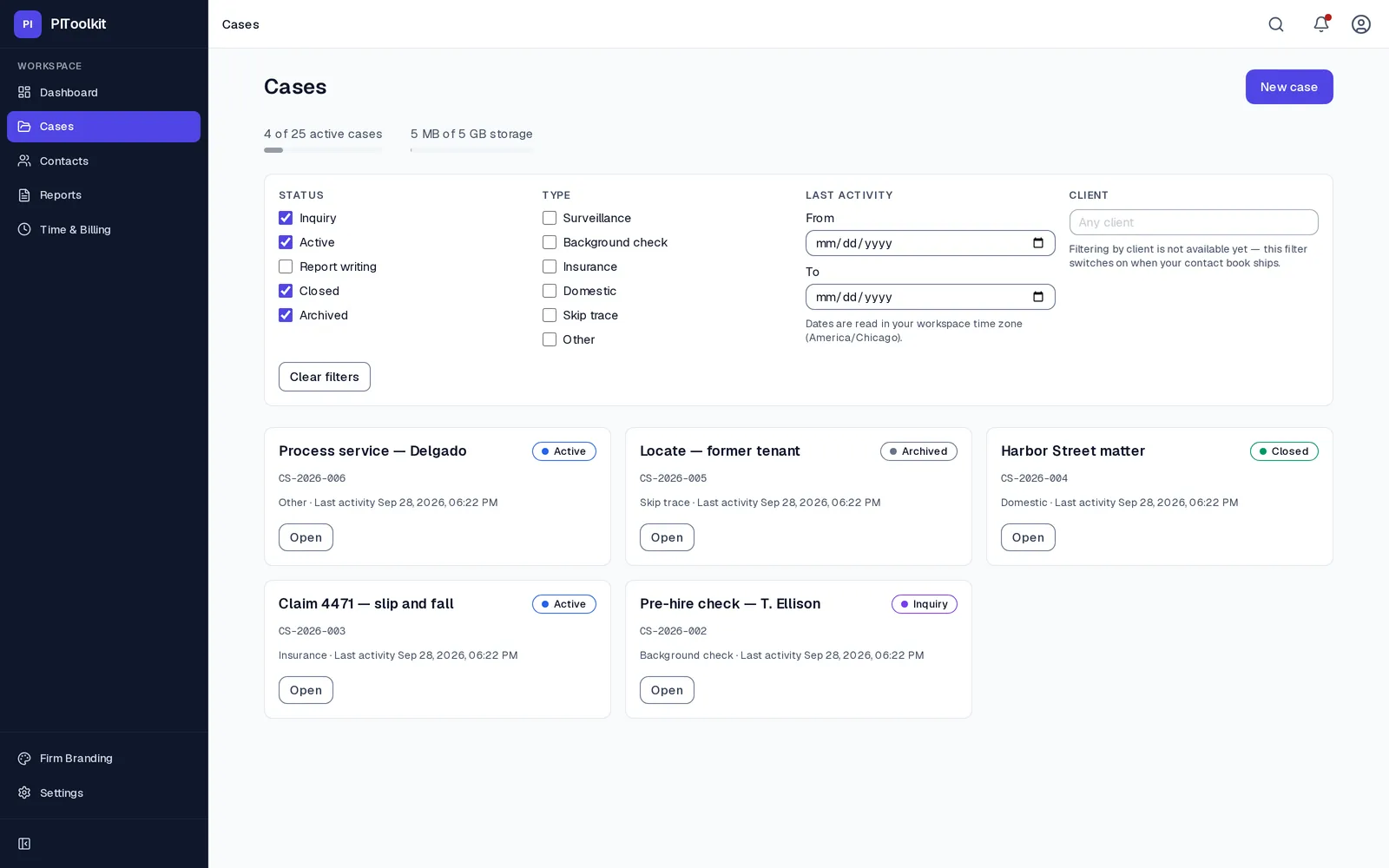
The whole case in one place, without the “final_v2” folders.
- Open a case with its type, then move it through phases to closure and archive
- A dashboard of every active case and what needs you next
- Your own timestamped notes, kept apart from an automatic activity timeline
- Find a case by name, and filter your caseload by status and phase
- Choose how long a closed case is kept. PIToolkit records your decision and never deletes case data on a timer
- Contacts shared across cases, each with their role on a case, and a warning when you're about to create a duplicate
Evidence
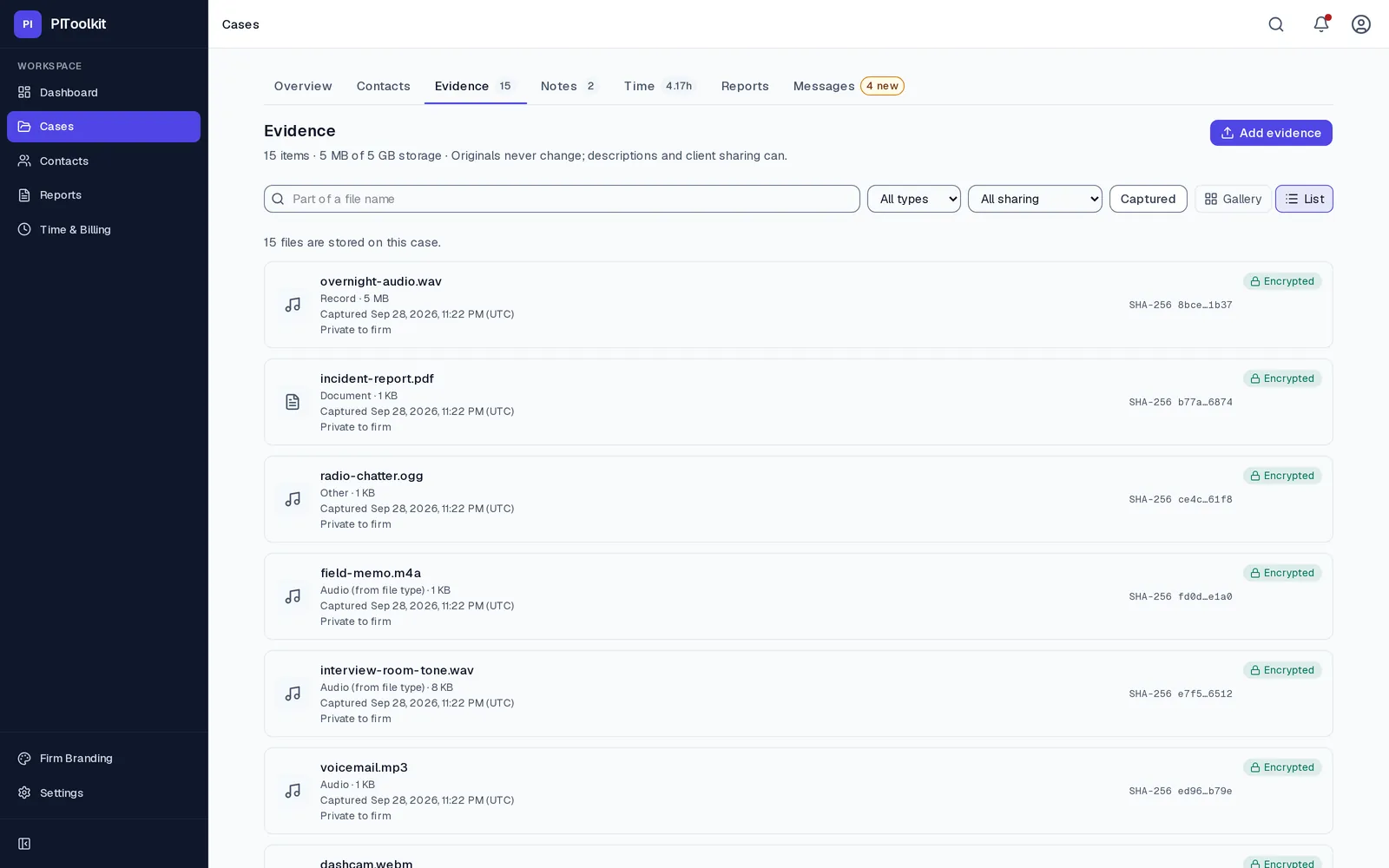
Evidence that carries its own integrity record.
- Photos, video and documents encrypted in your browser before upload
- Bulk uploads that queue and resume over a weak connection
- A capture time kept apart from the upload time (the camera's, for most photos)
- Photos and PDFs previewed in the browser; video and audio as a download
- A SHA-256 fingerprint for every file, linked into a chain for every case whose head you sign
- You choose which items a client can see
- An evidence package export with a verification report
- Trusted third-party timestamping (RFC 3161) Planned
Reports
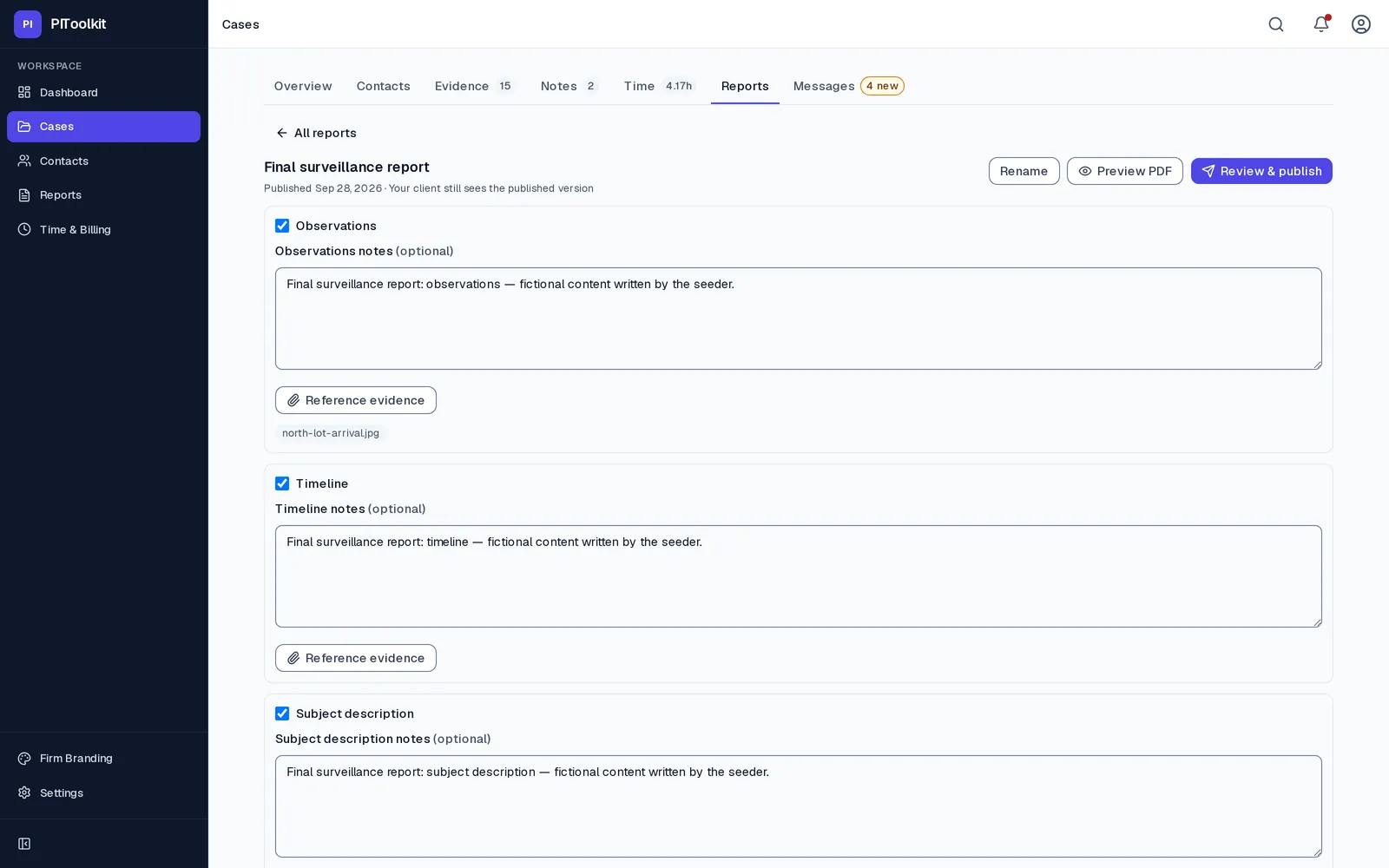
Reports on your letterhead, delivered through your portal.
- Structured report sections with your logo and brand colour
- PDF export
- Publish a finished report straight to the client's portal
- Every report you've written in one index, with its case and status
- A small “Prepared with PIToolkit” credit on Free; none on Solo and Professional
Client portal and messaging
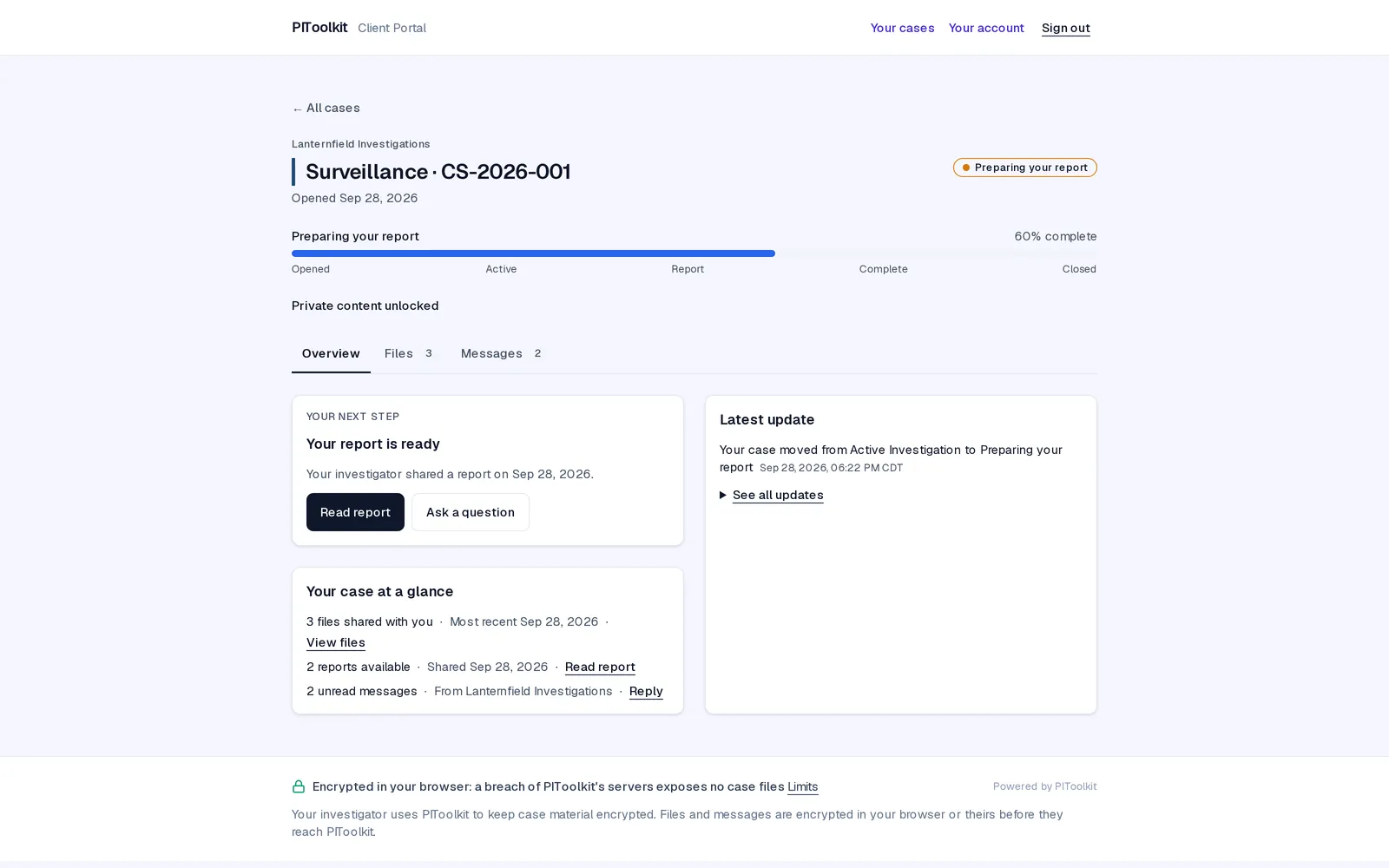
Give clients a portal, not an email attachment.
- Invite an attorney, adjuster or client to a case, under your firm's branding
- They see the case's status, phase and activity, the reports you publish and the evidence you release. Never your private notes
- One client sign-in covers every case, from every investigator who uses PIToolkit
- Encrypted messaging tied to the case
- You set how long a client keeps access after a case closes, and they're told first
- 3 portal clients on Free; unlimited on Solo and Professional
Time tracking
Track time where the work happens.
A timer on every case
Start it from the case; it stays visible while you work elsewhere, and reminds you if it's been running suspiciously long.
Manual entries
Add or correct time after the fact, with a date, duration and description.
Export for billing
Export your time log as CSV or PDF for whatever you invoice with today. Invoicing inside PIToolkit is Planned.
Account and security
The same security on every plan.
Two-factor sign-in
Authenticator-app codes on every plan, Free included. Security keys and more methods are Planned.
A recovery key you've proved you saved
Because we can't reset your password into your data, signup has you save your recovery key and type part of it back. Until you do, every sign-in starts at that step, and your workspace keeps reminding you.
Sessions and your security log
See how many devices are signed in and when you last signed in, and read your own security log. Changing your password signs out every other device.
Branding from one colour
Set your logo and a brand colour once; reports and the portal pick up both, and invitation emails carry your firm name and colour.
Your data, portable
Export your whole account, on any plan, as a ZIP of spreadsheets and your original evidence files. The downloaded file isn't encrypted, so keep it somewhere safe.
Not here yet
What PIToolkit doesn't do today.
Better you hear it from us than find out after you've moved your cases in.
- Invoicing inside PIToolkit Planned
Export your time and bill as you do now. - Online invoice payments Planned
- A native mobile app for field capture Planned
The web app works in a phone browser today. - Team and firm accounts Planned
One investigator per account for now. - Security keys for sign-in Planned
- Assisted recovery with a trusted contact Planned
- Trusted third-party timestamping Planned
- Accounting and data-provider integrations. None today. Time exports as CSV.
Tell us what would make you switch.
PIToolkit isn't open yet. The survey takes about 90 seconds and decides what ships first.