For clients
Your investigator has invited you to a secure portal.
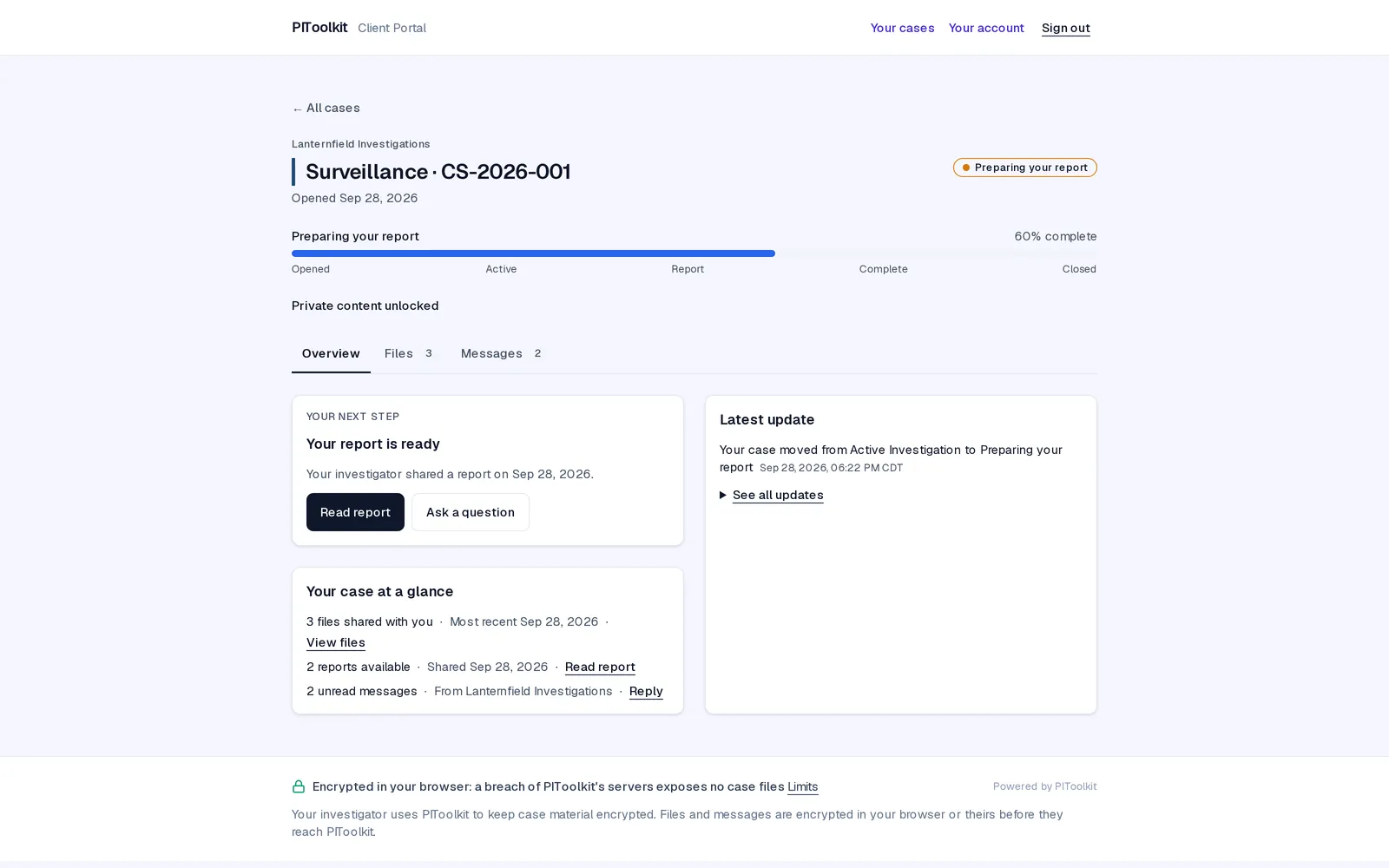
It's where you'll see how your case is going, read the reports your investigator shares with you, and message them. It's free, and it's private.
PIToolkit isn't open yet, so genuine portal invitations aren't being sent. If you receive one before then, don't sign in through it: forward it to hello@pitoolkit.com and we'll tell you whether it's real.
Is this legitimate?
Your investigator chose it, and the invitation comes from them.
PIToolkit is software that investigators use to run their cases and keep their clients informed. If you're unsure about an invitation, contact your investigator the way you normally would and ask whether they sent it.
PIToolkit is not an investigation company. We don't see your case, and we can't answer questions about it. Your investigator can.
What to do now
Three steps.
Open the invitation email
It comes from your investigator's firm and carries their name.
Follow the link and create an account
Use your email and a password. If an investigator has invited you before, sign in with the account you already have.
Turn on two-step sign-in when it's offered
It's optional, but it adds a lot of protection for very little effort.
That's it. Your case will be there when you sign in. Invitation expired, or can't find it? Ask your investigator to send a new one. Only they can send it.
What you'll see
Your case, in one place.
- Where your case stands: its current stage and when it was last updated.
- A timeline of what your investigator has chosen to share. Their private working notes stay private.
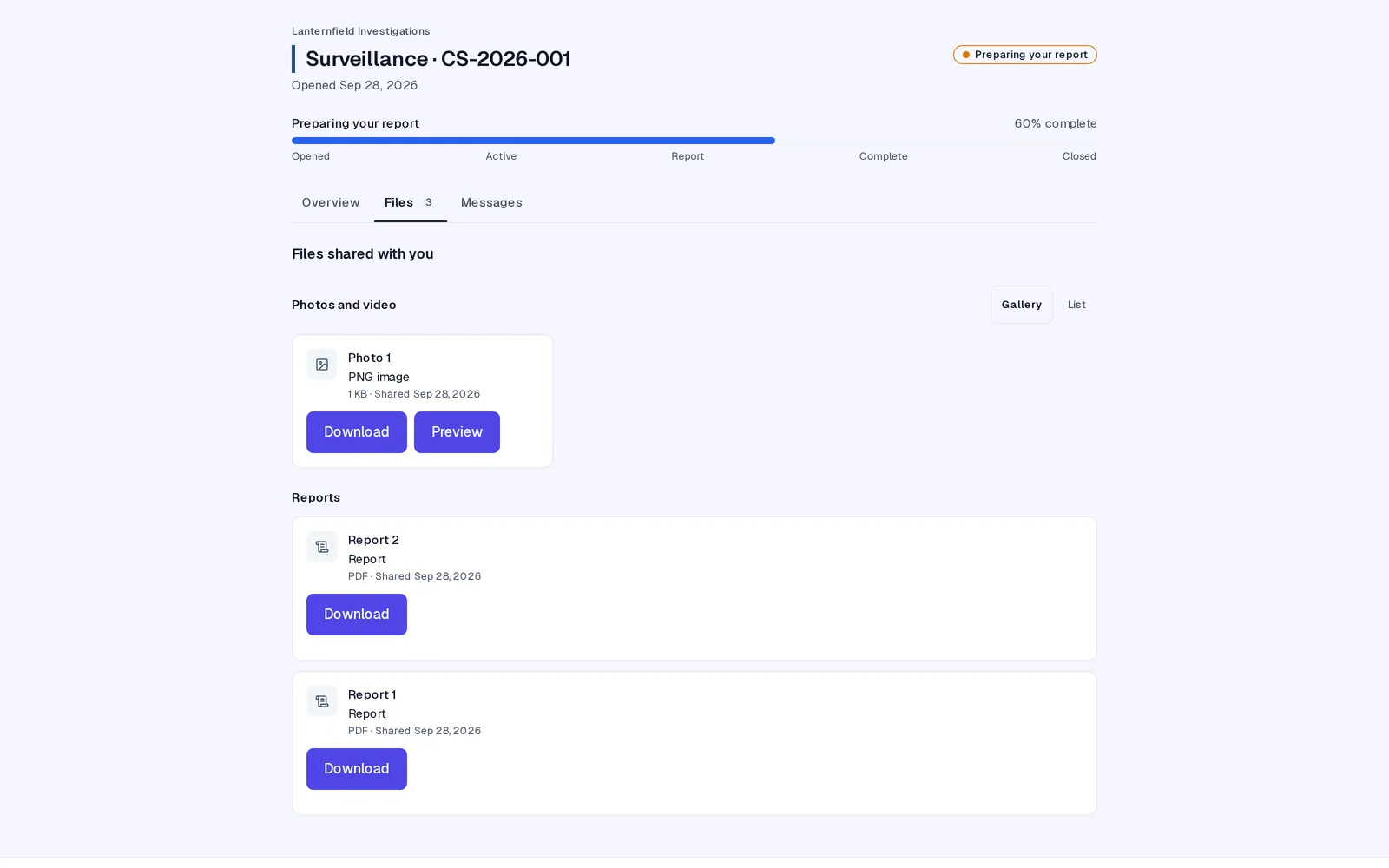
- Reports your investigator has finished and published for you, as PDFs.
- Files your investigator has chosen to share, like photos or documents.
- Messages: a private conversation with your investigator about this case, instead of texts and emails.
If you work with more than one investigator who uses PIToolkit, all your cases appear in the same account, each under its own investigator's name. It's free: you'll never pay anything to use your investigator's portal.
How your information is protected
Locked before it's sent, unlocked only on your device.
Everything in your case is locked (encrypted) on your investigator's device before it's sent anywhere, and unlocked only on yours, when you open it. PIToolkit's servers only ever hold the locked version. That means:
- We can't read your case, your reports, your files or your messages. Neither can anyone who works here.
- We can't sign in as you, and we can't reset your password.
What we do hold is what's needed to run the portal, such as the email address you sign in with. See exactly what we can and can't see.
If something goes wrong
Who to ask, and what to expect.
Forgotten your password, or lost your two-step sign-in?
First, try any passwords saved in your browser or password manager. If you've lost your authenticator app, sign in with one of your backup codes instead.
Nobody can reset a portal password, including your investigator and us: we don't hold it, and it's what protects what's been shared with you. Inviting the same email address again doesn't restore access.
If the password (or both your authenticator app and your backup codes) is truly lost, your investigator can invite you at a different email address, which creates a new portal account, and share your reports and files with it again. Your old account stays locked, and earlier messages don't carry over. If you lose access has the details.
Signed out unexpectedly?
For your protection, the portal signs you out after a period without activity, and limits how long any one sign-in lasts. Just sign in again.
Access to a closed case ending?
When a case closes, your investigator decides how long you keep access. You'll get a notice before it ends, so you have time to download what you want to keep. If you need longer, ask your investigator.
A question about your case itself?
Your investigator is the right person. We don't have access to your case and can't help with its contents.
Keeping your account safe
A few habits that help.
- Use a password you don't use anywhere else.
- Turn on two-step sign-in.
- PIToolkit will never ask for your password by email, text or phone. Anyone who does isn't us.
- If an email about your case looks odd, don't click it. Check with your investigator directly.
Still stuck?
Help with signing in.
Email support@pitoolkit.com. Please don't include details about your case: we can't see them, and email isn't the place for them. The client portal, in the help center.